
UPD20261003
Active
20 Potion Chest and 5 Rare Potion Chest
Oct 24, 2026
Code list reviewed: October 24, 2026
Players checked .
30,554 players · Players checked .
UPD20261003
Active
20 Potion Chest and 5 Rare Potion Chest
Oct 24, 2026
UPD20260905
Active
20 Potion Chests and 5 Rare Potion Chests
Sep 29, 2026
SRY4DEALY
Active
20 Potion Chests and 5 Rare Potion Chests
Sep 29, 2026
UPD20260919
Active
20 Potion Chests and 5 Rare Potion Chests
Sep 29, 2026
VALENTINES_CLOUD26
Active
This code credits your account with 10 Potion Chests.
Jun 3, 2026
WEARESORRY
Active
10 Rainbow Ices, 20 Potion Chests, and 5 Rare Potion Chests.
Aug 18, 2026
20260815UPD
Active
20 Potion Chests and 5 Rare Potion Chests.
Aug 18, 2026
BLAZINGSUN
Active
3 Hwachaes and 1 Power Battery.
Aug 18, 2026
SUMMER2026
Active
20 Potion Chests and 5 Rare Potion Chests.
Aug 18, 2026
GargantuaBiome
Active
20 Potion Crates and 5 Rare Potion Chests.
Apr 29, 2026
Sol's RNG centers on rolling to obtain auras with different rarities and appearances. Equipping an aura lets you display its effects around your character. Crafting provides uses for collected materials and some auras through progression equipment. Potions and other boosts can change your rolling conditions for a period of time. Biomes add another consideration when working toward particular auras in the collection.
Redemption Guide
Open Sol's RNG on Roblox, then follow these five steps.
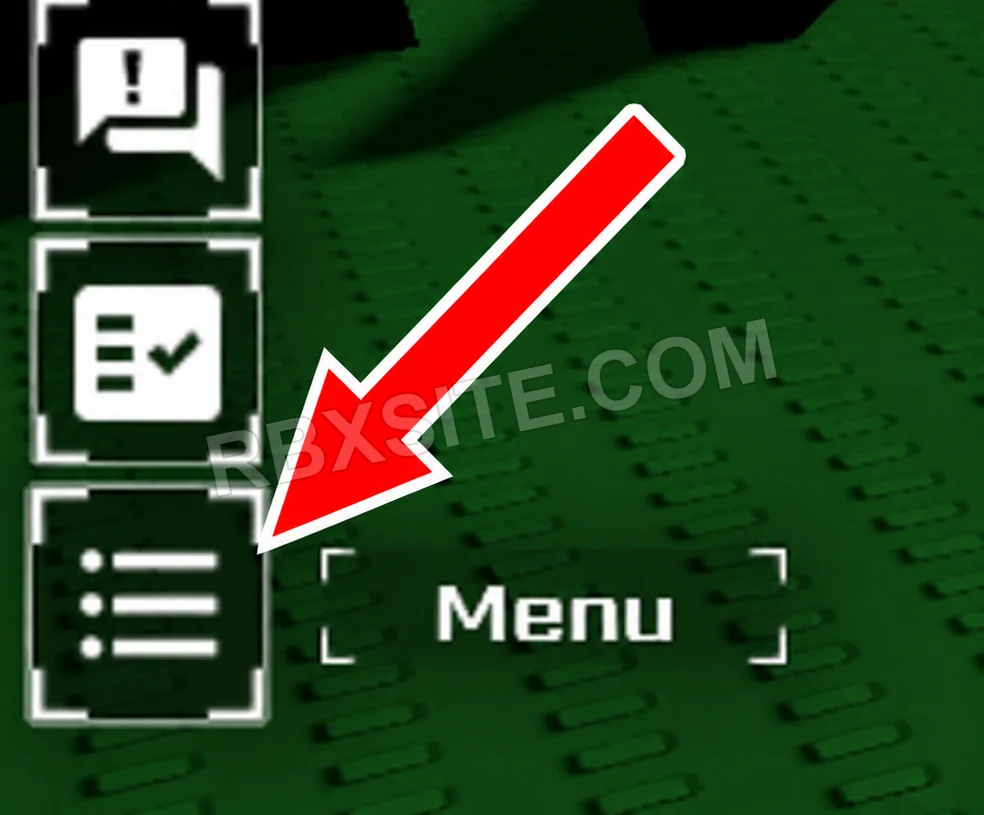
First, click the Menu icon at the bottom of the left toolbar. It looks like a list with three horizontal lines.
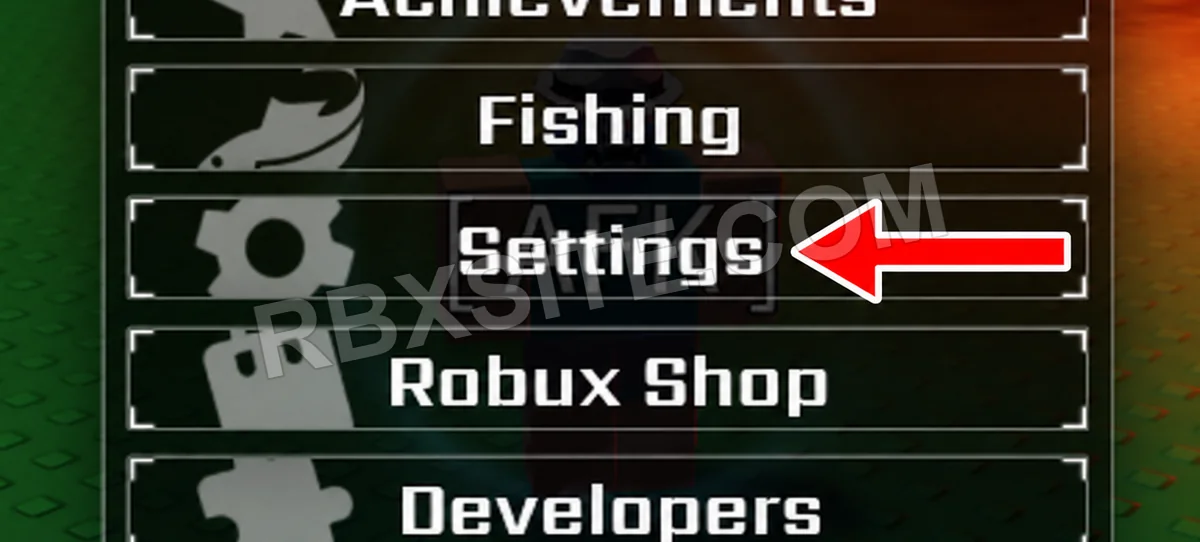
Next, click Settings in the Menu, below Fishing.
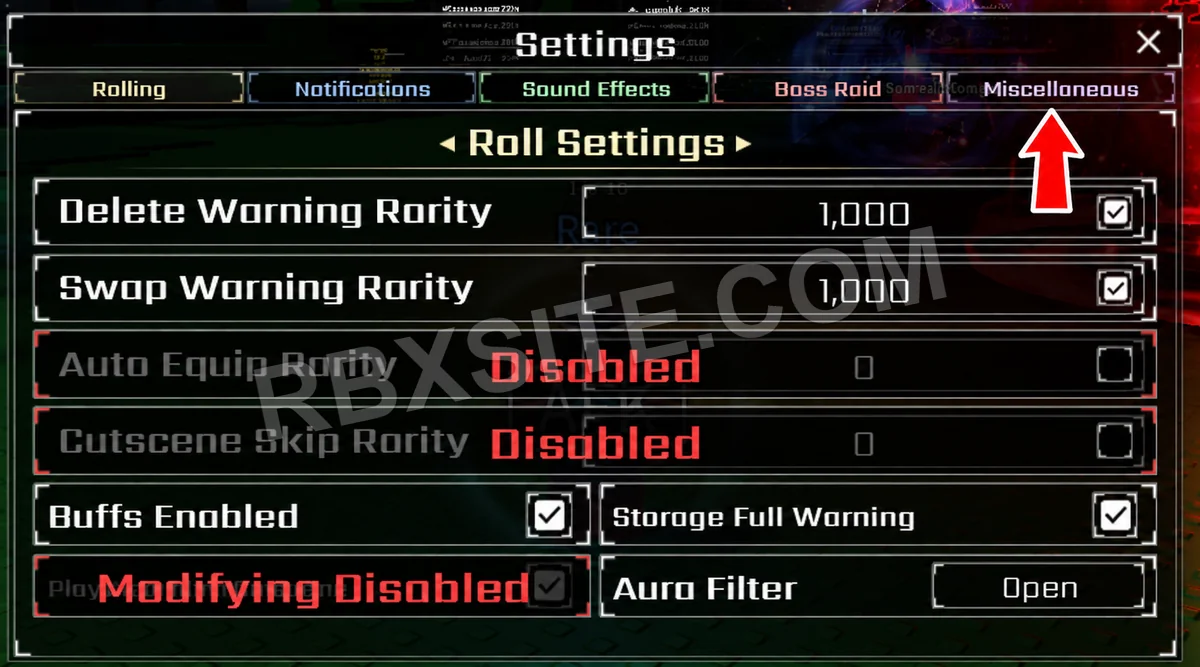
Click the Miscellaneous tab at the top right of the Settings window.
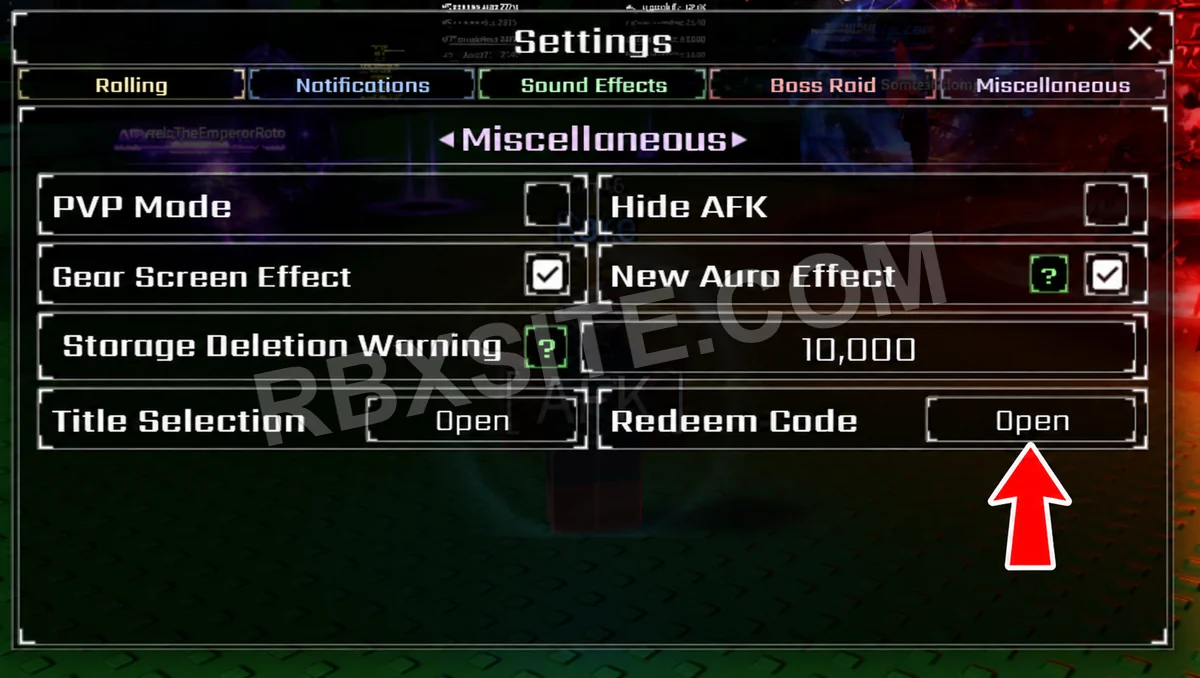
Find Redeem Code on the right side of the Miscellaneous settings and click Open beside it.
Then, enter your code into the Enter Code... box and click Redeem below it.
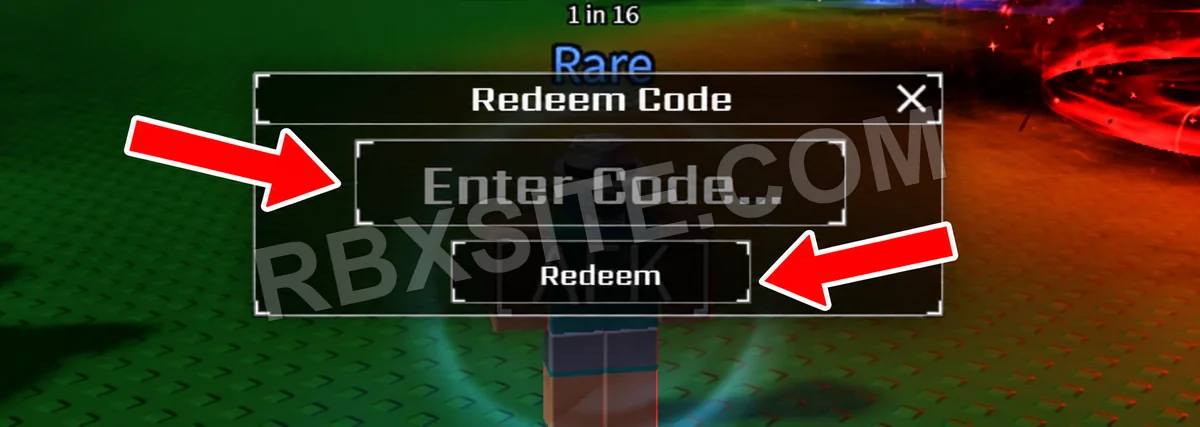
Illustrations adapted from in-game screenshots. Click an image to enlarge it.
Potion Chests contain random potions. Check your inventory after claiming, then read the potion you receive before consuming it. A chest does not grant a guaranteed aura.
Set up your rolling session before using a temporary luck boost. Improved chances still do not guarantee a particular aura; follow the duration shown for the potion you use.
Page updated: . Code checks and value observations have separate dates.
Explore other games with code pages on RBXSITE, ranked by their latest recorded player counts.
How we check codes: Our team manually reviews codes, including submissions from users in our Discord community. Players can upvote codes that work or downvote codes that no longer work. Three consecutive thumbs-down reports from different accounts move a code to Expired. Community reports indicate that a code may no longer work; they are not confirmation from the developer.


