
QuickRestart!
Active
25 Trait Crystals
Oct 24, 2026
Code list reviewed: October 24, 2026
Players checked .
1,399 players · Players checked .
QuickRestart!
Active
25 Trait Crystals
Oct 24, 2026
hollowworld
Active
50 Trait Crystals
Oct 24, 2026
brothers
Active
20 Equipment Rerolls, 10 Equipment Locks and 10 Stat Rerolls
Oct 24, 2026
clash!
Active
500 Defense Credits and 50 Trait Crystals
Oct 24, 2026
Update3
Active
50 Trait Crystals, 10 Equipment Rerolls and 10 Stat Rerolls (listed expiry: September 30)
Sep 29, 2026
Bossrush
Active
1,500 Gems, 50 Stat Rerolls and 20 Trait Crystals (listed expiry: September 30)
Sep 29, 2026
Anime Expeditions is a tower defense game built around collecting anime-inspired units. You place your team along enemy routes and upgrade its defenses during battles. Summoning expands the roster available for different stages and challenges. Leveling and evolving units strengthens them and can unlock new abilities. Cooperative play lets you combine teams with other players to take on waves and bosses.
Redemption Guide
Open Anime Expeditions on Roblox, then follow these two steps.
First, click the three-dot menu in the top-left toolbar, beside the gear icon. Then select Redeem Codes, marked with a gift icon.
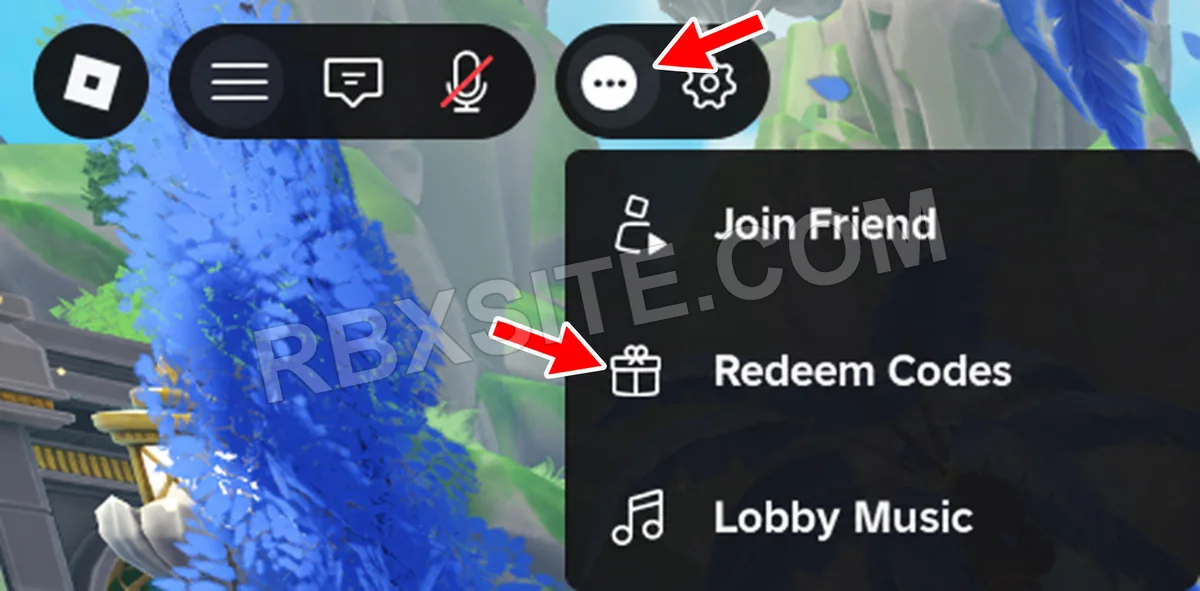
Then, enter your code into the Enter Code... box and click Redeem Code at the bottom left of the window.
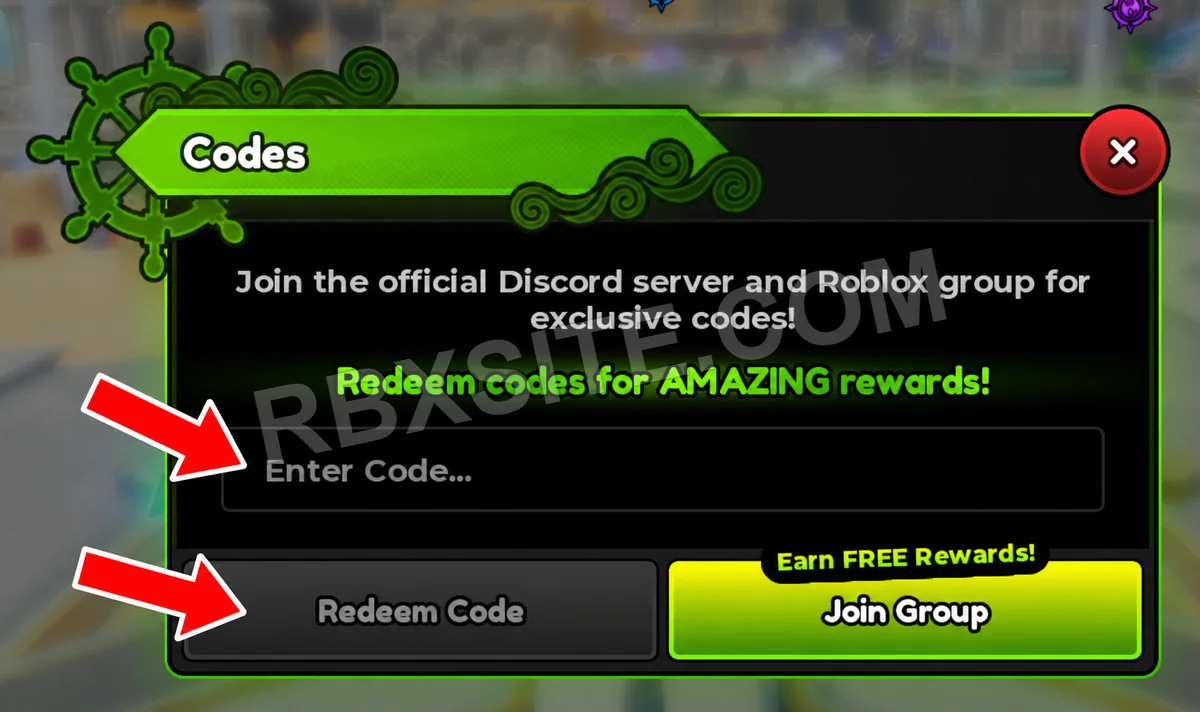
Illustrations adapted from in-game screenshots. Click an image to enlarge it.
Gems are for summoning, while Trait Crystals, stat rerolls and equipment materials serve different upgrade tasks. Check the resource an upgrade consumes and choose units you intend to keep before spending limited rerolls.
Some codes have level or mode requirements. For example, EXPEDITIONS is listed as requiring access to Expeditions mode. Check the condition on your chosen reward before redeeming.
Page updated: . Code checks and value observations have separate dates.
Explore other games with code pages on RBXSITE, ranked by their latest recorded player counts.
How we check codes: Our team tests all listed codes in-game for initial accuracy. Availability can change after testing. If a code stops working, click thumbs down. Three consecutive thumbs-down reports from different accounts mark it inactive and remove it from Active; it remains visible under All. Codes listed as expired appear in Expired.


