TEAMGREENBEAN
Active
This code credits your account with 3 Green Bean Seeds.
Jul 23, 2026
Code list reviewed: October 24, 2026
Players checked .
27,906 players · Players checked .
TEAMGREENBEAN
Active
This code credits your account with 3 Green Bean Seeds.
Jul 23, 2026
RDCAward
Active
RDCAward Cosmetic.
Sep 13, 2025
BEANORLEAVE10
Active
1 Green Bean Chamber.
Sep 6, 2025
BUZZYBEES25
Active
This code credits your account with -.
Jun 3, 2026
torigate
Active
One Whispering Torii (Cosmetic).
Jul 19, 2025
Grow a Garden is a farming game that starts with buying seeds for your plot. Crops grow over time, including while you are offline. Harvesting and selling produce gives you Sheckles to spend on more seeds and supplies. Weather and pets can contribute to mutations that change a crop's value. Building a varied garden gives you new plants to collect and more harvests to plan around.
Redemption Guide
Open Grow a Garden on Roblox, then follow these two steps.
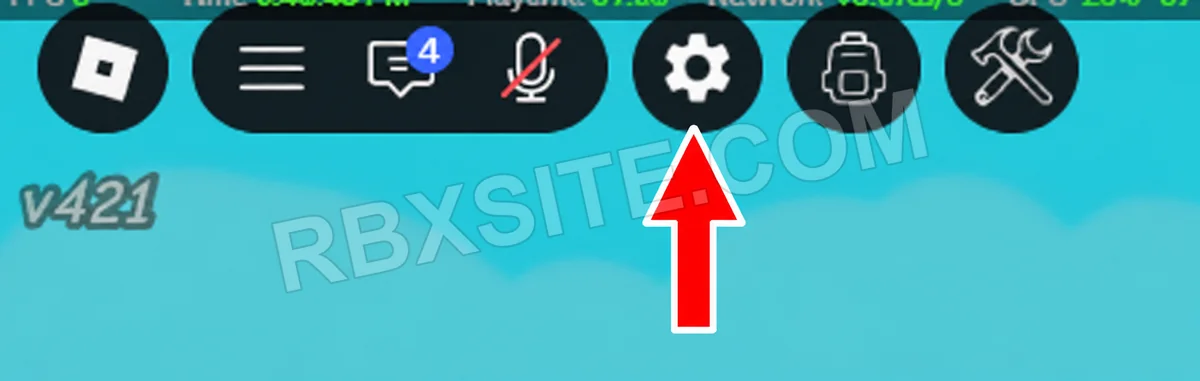
First, click the Settings gear in the top-left toolbar, immediately to the left of the backpack icon.
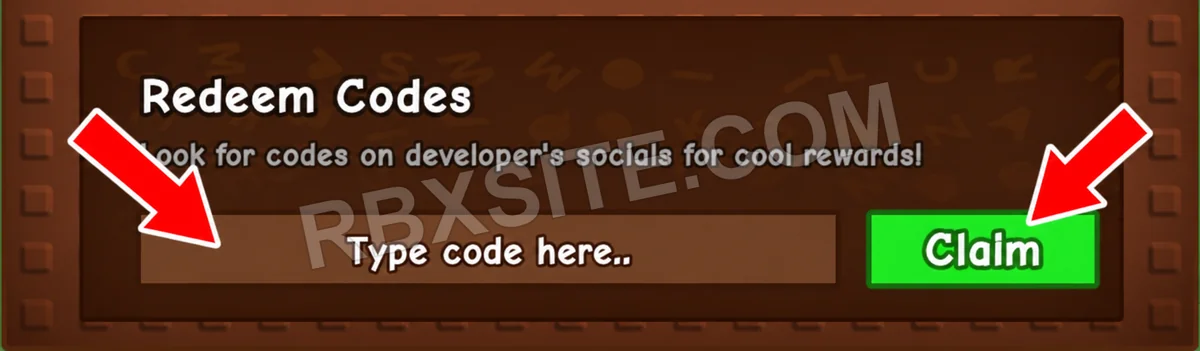
Then, scroll to the bottom of Settings to find Redeem Codes. Enter your code into the Type code here box and click the green Claim button beside it.
Illustrations adapted from in-game screenshots. Click an image to enlarge it.
Green Bean Seeds can be planted. The RDC Award, Whispering Torii and Green Bean Chamber are cosmetics. Check the reward type before making space for a new crop.
Check capitalization and remove spaces before or after the code. If it still fails, it may have expired; an invalid message does not always mean you typed it incorrectly.
They have separate Roblox listings and redemption menus. Even if a code name appears in both lists, use the reward and availability information for the game you actually opened.
Page updated: . Code checks and value observations have separate dates.
Explore other games with code pages on RBXSITE, ranked by their latest recorded player counts.
How we check codes: Our team tests all listed codes in-game for initial accuracy. Availability can change after testing. If a code stops working, click thumbs down. Three consecutive thumbs-down reports from different accounts mark it inactive and remove it from Active; it remains visible under All. Codes listed as expired appear in Expired.


